Blog - foXnoMad

Wanderlists, Travel Secrets, and More Tech Tips For The Road

reading under the coversI was excited when Mina and Alex, who are currently traveling on an RTW trip and write the Sending Postcards travel blog, asked me to contribute a “wanderlist” – 10 goals I’d like to accomplish during my travels. The first goal, and probably most ambitious one, came about in 2003 when my uncle handed me a magazine.

Hopping Around The Web

I also, along with several other digital nomads, recently got to talk tech again with Nora Dunn about essential services for the road. I learned a lot by reading the advice from other location independent entrepreneurs and if you’re looking to run your business from the road you will too.

  • On top of that Heather On Her Travels was kind enough to mention several travel bloggers including myself in an article about a great project from Tripbase. They are donating $1 for every download of their free ebook series and there are some good ones to choose from. Downloading the ebook is free, with no sign up to anything, and Tripbase makes the donation on your behalf.

For those of you wanting to find some great travel links and sites from around the web, check out frequent commenter Anjuli’s series on her blog (with a very kind mention of foXnoMad), and Twenty-Something Travel‘s favorite links from May.

From My Other Blogs

Finally, you might not make it around to my other blogs too often or know about them so here are some highlights from the past few months.

Also, for every June post you leave a comment this month, you’ll be entered to win a $15 Amazon gift card. Give yourself a chance to win by commenting right now.

[photo by: margolove]
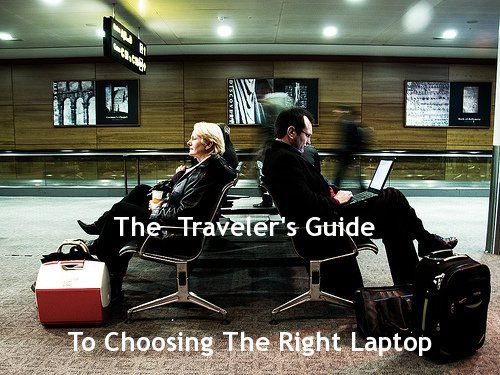
The Traveler’s Guide To Choosing The Right Laptop

Choosing the right travel laptop is a process of knowing your options, narrowing down what you’re really looking for, and understanding what features are costing you money. A traveler’s laptop is an important companion – it can be your phone, travel planner, and office all in one – so no wonder it’s one gadget you can’t travel without.

choosing the right laptop

There is no perfect or best laptop – they vary based on your needs and how you travel. It’s like trying to narrow down the “best car” or “best backpack”. Selecting a laptop is a personal decision that’s made much easier when you know have a formula to follow, and hopefully after reading this guide you’ll have one.

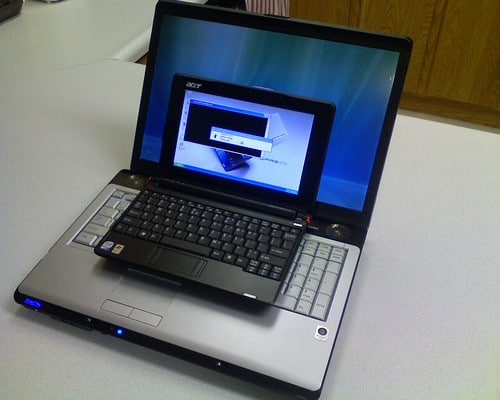
netbook comparison with notebookUltra-Light Netbooks

Netbooks are all the rage, especially among travelers. A netbook is a class of laptops that are ultra-small (screens roughly 25cm/10 inches or less) and weigh around 1kg (~2-3lbs). On top of that they also tend to be much less expensive than classic laptops usually running around $250-400. You can see why netbooks are popular with travelers – they also run specially designed processors that run cooler and give longer battery life as a result.

So What’s The Catch?

Netbooks do have some drawbacks however, despite their obvious advantages. For starters they’ve got smaller screens and keyboards so if you’re a bit fat fingered or will be working long hours on extended trips they might not be ideal. Also netbooks don’t usually come with optical (CD or DVD) drives and get sluggish when running processor-intensive applications like Photoshop.

  • Processors are a bit slower and hard drives are limited to 160-250GB.
  • Upgrading the processor or memory (RAM) in a netbook can cost 15-20% more than conventional laptops parts.
  • Netbooks already average 3-5 hours on a single charge but here are 8 more ways to extend battery even more.

The most popular operating system running on netbooks is Windows (XP and 7) followed by several distributions of Linux. While Apple doesn’t have a netbook in their lineup, you can still run Mac OS X on the Dell Mini series netbooks (here’s how).

man using macWindows Vs. Mac…and Linux?

What’s better, what’s the difference, and what the heck is Linux are the most common questions when it comes to these 3 operating systems (OS). Basically (in grandiose oversimplification) – Mac OS X is specifically designed to work on Apple hardware whereas Windows 7 isn’t as picky. You have to pay for both and, well, Linux is free and runs on just about anything.

When searching for the right travel operating system for your laptop you need to know what to focus on; here are the basics:

  • Windows (specifically Windows 7) – Since everyone except Apple sells laptops bundled with Windows (which isn’t picky about hardware), Windows-based laptops are usually much cheaper than equivalent Macs. Windows 7, the latest version, is pretty smooth resolving the disaster that was Vista.
  • Mac OS X – Being made to run on specific hardware resolves a lot of the issues and crashing Windows machines are known for. On the down side Macs are also more expensive (anywhere from 30% on up). On the plus side you can run Windows part-time on any Mac using virtual machines.
  • You can save money on Macbooks by buying refurbished from Apple’s website and save even more by using free alternative software for digital nomads.
  • Some software runs only on Windows or only on Mac. Typically if it works on Mac it works on Linux. Many of your existing Windows programs from CD or DVD won’t install on Mac but you can try using WineBottler to run downloaded .exe files.

Most people also think that Macs don’t get viruses which isn’t quite true. Attacks are on the rise as Apple increases it’s market share (about 10-15% right now) and while there aren’t any attacks on the OS itself, there are plenty of vulnerable applications. That said, currently threats are far and few between.

tuxWait, What Is Linux Again?

Linux is the name of a group of operating systems better known as distributions or “distros”. Almost all of them are open source and free and will run on just about any laptop you can think of. Dell even now lets you order laptops running the Ubuntu distribution of Linux so you don’t have to pay for Windows, saving you $50-100.

Most of the software you’re likely to use on the road like Skype, Firefox, Tweetdeck, and Microsoft Office will work on all 3 operating systems. For casual computing budget travelers, it really boils down to price. Linux is free but not as intuitive, Windows is familiar but can be wonky at times, and Macs are efficient but come with a hefty price tag.

Hardware – What’s Important And How Much Does It Cost?

Aside from the things you can see (screen, keyboard, pretty exterior color), there are 4 major components of any new laptop traveler’s need to understand and evaluate.

  1. computer chipsProcessor – This is the main computing chip and is measured in Gigahertz (Ghz). The faster the processor the faster applications run. Still, if you’re just browsing the web and typing a document every now and they you aren’t likely to notice the difference between a 1.8Ghz and 2.1Ghz machine. Unless you’re doing a lot of graphic design, photo editing, or gaming, save your money and get the default option.
  2. Memory (RAM) – The more memory you have the more programs you can run at once. Don’t skimp or go overboard either – 2 or 4GB of RAM is enough for most people and RAM is a relatively inexpensive upgrade.
  3. Hard Drive – It’s where all of your data is stored. Space is cheap and useful for travelers who take a lot of digital photos. Hard drive space is inexpensive and yon can squeeze out more space by compressing files and using services like PicasaWeb (thanks Akila!) Much like picking the right backpack, you’ll fill up a hard drive no matter how big or little – shoot for the middle ground (currently 160-250GB).
  4. Battery Life – When picking out a laptop battery (if you have the option) make sure you also evaluate the weight too. Longer battery life can correspond to heavier so be careful. Netbooks (~4 hours) and the latest Macbooks Pros (~7 hours) are a good blend of the two.

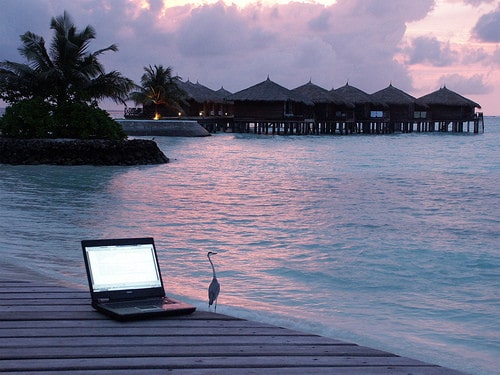
laptop near waterGoing Location Independent?

When your laptop doubles as your office it’s a good idea to consider, budget, and make space in your bags for a backup laptop in case of a hard drive crash or one becomes disabled. Netbooks make great backup devices both in terms of size and cost but the hardware is only the beginning.

It’s a bit more cumbersome to find parts for Macs in some parts of the world and opening up Macbook Pros is a little more work than many Dell, HP, or ASUS notebooks – another good reason to have a backup if it takes some time to have parts shipped out to you.

Ready To Make The Leap?

By now you’ve hopefully gotten a better idea of your options, the costs, and all of the ways you can get what you want in a single laptop. Once you do decide on “the one” be sure to get down with locking down your laptop (Part 1, Part 2, and Part 3), adding these 8 un-sexy accessories, and learn how to become a traveling digital ninja.

[photos by: Michal Osmenda (top picture), zieak (netbook), kwerfeldein (Mac user), Wolfie Fox (computer chips), Giorgio Montersino (laptop by water)]

A Boat In Boracay, Philippines

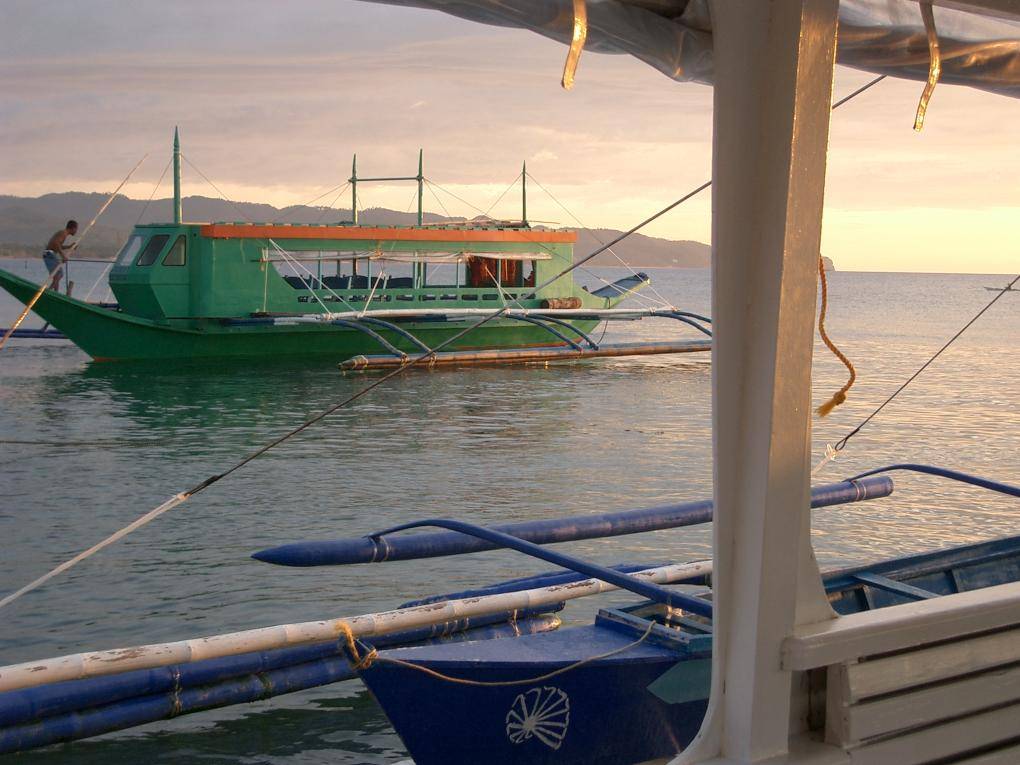
boat in boracay

Boracay is an island south of Manila in the Philippines and very popular with both tourists and locals alike. It’s grown in popularity over the past few years although for the most part, it’s not crammed with people like other well known Southeast Asian beach destinations. Boracay, which I visited back in 2006, is one of 5 popular tourist destinations that won’t disappoint you and one of my favorite places in the world.

These small boats shuttle people to and from the small airport (about an hour flight from Manila) to Boracay island. You’ll have to carry your bags over your head to get to the boats and the ride is about 10 minutes. To best avoid the crowds and get great deals on hotels and fights, plan your trip to Boracay right before the rainy season in the first week or two of May.

Here are some more images from Boracay and around the rest of the Philippines.

Have You Ever Felt Bouncy After A Flight, Cruise, Or Car Ride? [POLL RESULTS]

Based on your comments and the results of a poll I took last week, many of you have occasionally felt “landsick” – that persistent bouncy feeling several hours or days after a long flight or boat ride. I explained why you feel bouncy and came across Mal de Debarquement syndrome, a condition where the feeling lasts for years after.

bouncy poll

In the coming weeks I’ll have an interview with someone who suffers from Mal de Debarquement syndrome to learn more about what it’s like living with that feeling constantly, 3 years after a boat ride. For most of us however, you can reduce the symptoms of landsickness by reducing your flight delay stress, honing that energy positively, or putting (acu)pressure on the inside of the your wrist.

5 Places to Entertain Kids in Leeds, England

This is a guest post by Darren Cronian, who writes the popular Travel Rants blog. In addition to Travel Rants, he also writes My Life In Leeds, a comprehensive online guide to the city. I’ve been following Darren’s writing for years and it was my pleasure to publish this guest post from him.

Come to Leeds either on a short break or day trip and you will find that there is a lot to do and see for kids. This guide will give you some ideas to entertain all of the family during the school holidays. Here are our favorites:

1. Free Child Friendly Museum

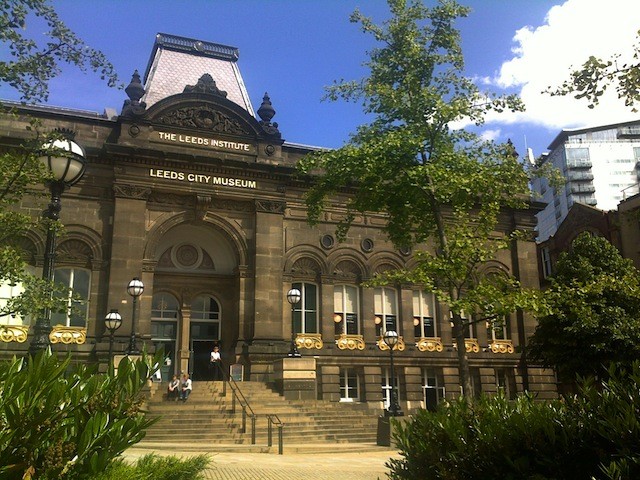
The Leeds City Museum in Millennium Square is open from 11:00 a.m. every day except Monday, and admission is free.  There is even a special Learning Room with events for the kids on school holidays.

leeds city museum

The animal/nature exhibit may be the most enticing for children, but the Mummy in the Egyptian exhibit also fascinates, and a beautifully presented history of the city is fascinating, especially for adults who grew up right here.

2. Burn Off Some Energy In The Vast Parkland

Kirkstall Abbey, just 3.5 miles from the City Centre, is the most complete and best-preserved Cistercian abbey in the U.K.  Located in lovely parkland on the banks of the River Aire, the grounds are ideal for walking, cycling or picnics.

kirkstall abbey

The reconstructed abbey offers a wonderful view of the way monks and Laybrothers lived and worked hundreds of years ago, with interactive displays that are both educational and fun.

3. Not As Boring As It Sounds, Very Educational

Thackray Museum, about 2.5 miles from City Centre, offers a truly impressive look at medicine and medical practices past, present and future, including the sounds, sights and smells of a back street in Victorian-era Leeds, where visitors can follow the lives and ailments of ‘real’ characters living amongst the bedbugs, rats and fleas.  Kids especially seem to love the realistic gory Victorian operating theatre.

thackray museum

4. Let The Kids Run Free

Roundhay Park, to the northeast of Leeds, is one of the largest city parks in the U.K. with over 700 acres of woodlands, lakes, parkland and gardens.  It was originally a 13th century hunting park, but now it is filled with delightful exhibits including Tropical World, with amazing creatures such as the Arrowana fish, which leaps up to 8 feet in the air to catch insects and small birds.  New additions are a colony of meerkats and a trio of crocodiles.

roundhay park

5. Bird Garden, Animals, And Open Space

Lotherton Hall is an Edwardian country house set in gorgeous parkland, about 13 miles northeast of Leeds City Centre. The nature trails, red deer park and bird garden are best enjoyed in clement weather, but the costume and other exhibits are a real treat for young and old alike at any time. The Nightingale Gallery is also a venue for exhibitions by local artists.

lotherton hall bird park

Hopefully this guide has given you a taste of what there’s to do and see in Leeds for kids. Read more guides on attractions in Leeds, on My Life in Leeds, a locally written guide. Thank you Darren for the guest post!

[photos by: Leeds City Museum and Kirkstall Abbey by dcronian, timojazz (Thackray Museum), tricky (Roundhay Park), Drown (Lotheron Hall bird park)]

Is Quito Dangerous?

Quito, Ecuador has a terrible security reputation and the question, “is Quito dangerous”, is one I’ve been asked often. Many travelers, even experienced ones, are hesitant to visit the South American city due to security concerns – but just how dangerous is Quito?

quito market

High Crime Rate

Qutio has an exceptionally high crime rate, even when compared to other big South American cities. The most common crime against tourists is pickpocketing, either by quick hands or intimidation. The use of knives is becoming more frequent in muggings but violence is usually rare if you’re compliant. Despite the statistics and the State Department warnings, walking the streets of Quito isn’t a terrifying experience.

quito street at nightKnow Your Limits

According to the Overseas Security Advisory Council (OSAC), in Quito crime occurs at all hours, but much of that depends on where in the city you are. The tourist and backpacker areas of Plaza Foch, Parque Itchimbia, Cumbaya, and La Ronda are safe both day and night due to a (very) heavy police presence in the area. You’ll be free to walk around these areas, even at night, and will clearly see where the police protection ends. By sticking to those areas, especially at night, you shouldn’t encounter any problems.

  • Although the area around the apartment I was staying at looked very quiet, I was told not to walk around much after dark. At night you shouldn’t assume a street is safe, even if right next to a populated area.
  • When in the Old Town, stick to the square and the well lit side streets (they will be obvious). There is a heavy police presence here and while you’re likely to see beggars and prostitutes, will be relatively safe walking around.
  • OSAC statistics show that traveling in groups of 2 or more significantly reduce your chance of being a victim of crime in Quito.

Despite this, getting around in the city by taxi is relatively uneventful. You can drive around most places at night very cheaply and it’s a good alternative to walking if you aren’t sure where you’re going. It is still a good idea to keep your electronics and jewelry out of sight just in case.

quito viewQuito Common Sense

In Quito you never walk around with more money in your pocket then you’re willing to have stolen. You shouldn’t stroll around chatting on your cell phone either – both the distraction and the phone make you an enticing target. It’s also standard practice to keep your electronics out of sight at all times.

  • That said, walking around most parts of Quito during the day isn’t scary.
  • Stay within the main streets at night and if you’re unsure of a route by foot, take a cab to be on the safe side.
  • Never walk in any of the parks at night.
  • The police response to crime reports is minimal and street criminals are rarely apprehended so don’t expect much if you have to file a report.

Practice common sense, like keeping an eye on your belongings and being aware of your surroundings and in most of the city during the day you should be fine to walk around. At night, most of the areas around hotels and hostels have a heavy police presence and the streets with security are very brightly lit up relative to anywhere else.

Not Too Dangerous To Visit

I may have made Quito sound like a scary place for some of you but it’s not. With all of the warnings I had heard about it I was expecting a much more chaotic scene as opposed to the normalcy I encountered. By using the advice above and sticking to the right streets at night you’re much less likely to face trouble, especially in the major touristic areas. Avoiding the city completely and missing places like the Mitad del Mundo and the other heights of Quito would be robbing yourself out of the food, culture, and beauty that is Quito.

About Anil Polat

foxnomad aboutHi, I'm Anil. foXnoMad is where I combine travel and tech to help you travel smarter. I'm on a journey to every country in the world and you're invited to join the adventure! Read More

YouTube Twitter Instagram Facebook

Image Map

Image Map
10 Shares
Share
Tweet
Pin