Blog - foXnoMad

How To Choose The Right Bank Before Going Overseas To Save Time And Avoid Fees

When budgeting for your next trip or vacation the focus is typically on the road ahead. Yet there are many expenses back home like bank fees that can add up and others like fraud protection that can be tough to do anything about when you’re out traveling the world. Before you set off on your next international trip be sure to check up on few key points with your bank and come up with your own financial protection strategy.
piggy bank

Start With What You’ve Got

You’ve mostly likely got a checking account with at least one bank so begin by finding out what they offer. You want to get these key points – which you can probably find online – but since you have easy access to a phone or the local branch, try calling or stopping by. Don’t waste your time hunting through legal jargon or confusing policies, talk to someone at the bank directly.

  • ATM Fees – They vary and you should find out the exact fees overseas. Some banks will also reimburse you for some of the fees you incur, be sure to ask.
  • Service (or Foreign Transaction) Charges – Creepy little fees that can appear on your statement when you use your debit or credit card abroad. There are a few accounts at various banks that don’t charge these so make this a part of your comparison shopping.
  • Transfer Fees – It’s not a good idea to travel with a single bank account on hand because if that account it compromised or locked by the bank (due to suspicious activity like being used overseas!) you could wind up in a heap of anxiety and trouble. There are plenty of banks that won’t charge for the first few hundred, or any transactions for that matter.
  • Time-Based Fees – Monthly, annual, or otherwise you don’t want time-based fees with your bank account.

Now you should have a pretty good idea of what you’re working with and what areas need improvement in terms of fees and charges for your simple travel budget.

Shop Around

on the lookoutIdeally you don’t want to pay any bank fees when you’re traveling so shop around. You might not be able to find a bank that reimburses you for all ATM fees, doesn’t have a foreign transaction charge, and allows unlimited transfers but you can mix and match.

  • Look Big – International banks give you more flexibility overseas and have arrangements with other banks that often mean less ATM fees.
  • Online Banks – Banks like ING Direct don’t have physical branches and all transactions are done online. While it’s tough to deposit a check it’s very easy to just about everything else through a web browser.
  • Earn Interest – ING Direct checking accounts earn a competitive interest rate as do their savings accounts. The same goes for HSBC, and with both banks transfers from your savings to checking are instant, which is good if you happen to go over budget. They also offer a small bonus (around $25) when your friends sign up.
  • Hours of Operation – Changing timezones (keep track with FoxClocks) and finding free wi-fi can make calling difficult, keep this in mind.

When you’re calling around, but sure to let the person on the phone know that you’ll be traveling and how much – especially if you’re taking an RTW. Get set up with two solid checking accounts in case one becomes unavailable for any reason and don’t keep all of your eggs money in one basket.

Plan Ahead – Test The Accounts

It’s frustrating to see a little fee appear that wasn’t supposed to when you’re at home, but it’s much more so when you’re traveling. Set up your accounts early and test them out with one or two transactions on your next international trip. It’s also a good idea to let the bank know ahead of time you’ll be traveling – they might decide to lock your account if the card is suddenly used in another country.

20 dollar billsMake Your Money Work For You

Bank accounts can help you earn a bit of unconventional money for your travels.

What Services, Banks, Or Money Hacks Do You Use?

The biggest obstacle to choosing the right bank, or banks, for your travels is the hassle upfront of calling and digging through information about the fees, restrictions, and everything else. It’s a good idea to connect with other travelers to find out what they’ve learned and share some of your own favorite accounts and bank offerings. Leave your favorites and best advice in the comments below – what banks, credit cards, and financial services do you use?

[photos by: alancleaver_2000 (piggy bank), genvessel (woman on lookout) , AJU_Photography (20 dollar bills)]


4 Types Of Travel Lists That Won’t Help You Very Much

Lists are a good way to absorb information quickly online but tend to be more useful the more specific the topic is. Often though, they can be too subjective to provide too much useful information. I’ve written a number of lists myself but some make better headlines than they do articles. It is even difficult to generalize about lists so I don’t want to knock what I haven’t read but there are some things you just can’t quantify easily.

1. The Friendliest Places

There is no friendliest place really since friendliness is culturally relative. How we perceive friendliness is based on our own cultural background – take for example smiling. The smiles in Thailand can mean so many things whereas in the Middle East a straight face is the default. Often foreigners visiting the US comment on how nice people are since they typically ask, “how are you?”

smiling kid

2. The Best Places In The World To Visit

These types of lists tend to work well when you know the author or are familiar with their work. It’s also interesting to read the best places in a very specific town or city since they usually cover the highlights many travelers are looking for. Simply reading that a place is the best without something added (like the best surfing, best trekking) doesn’t help you much as a traveler.

thumbs up

3. The Worst Places To Visit In The World

Any given trip is a series of moments in a given time at a given place. While it’s OK to hate some places, chances are if you were to visit somewhere more than once you wouldn’t hate it each time.

stop sign

4. The Most Dangerous Places To Visit

Again, you can say the most dangerous parts of a city based on crime rate, or include war zones – but national borders (or otherwise) don’t magically segregate violence which is one reason travel warnings shouldn’t stop you from visiting most places. It’s also why you’ve got to decipher State Department travel warnings.

snow white witch

Look For Logic and Specifics

Lists appeal to us for many reasons but they don’t do you much good unless they’re based on or contain specifics, logic, or quantifiable information. Ask yourself, what criteria was used to create the list? Also, remember that information changes slowly over time so be sure to update your reality and the mesofacts you come across in all of the lists you read. Even more subjective lists like those described above can be useful, particularly on travel blogs, where they tend to generate good discussions with good information about the topic at hand.

Lists can be useful of course – there are bests and worsts, top 10s, and “mosts” we all get out of the places we visit – but much like the lists themselves, they’re hard to see without getting sight of the bigger picture.

[photos by: Mr Huevo (smiling child), JPhillipson (thumbs up), Elephant wearing striped pants (stop sign), Express Monorail (witch)]

The Essaouria Citadel

essaouria citadel

Essaouria is a Moroccan coastal town on the edge of the Atlantic Ocean. It’s about a 3 hour drive from Marrakesh and the route is well known for its famous goats in trees – literally, the animals climb up there to eat the fruit from the argan tree. Unfortunately the only goats I saw were tethered to the trees by the local farmers looking to charge people passing by for pictures. It is a natural phenomenon though, albeit one I wasn’t lucky enough to see. (Although this cute little guy was kind enough to pose for me.)

Essaouira has a great fish market and lots of good restaurants by the water where you can try all sorts of fresh catch before wandering around the side streets in the medina. Shopping in Essaouria is fun especially if you like art; there small galleries all over the place. The shop owners are also much less aggressive than inside the walls of the medina in Marrakesh. Here are a few more of my pictures from Essaouria which include some of the crafts you’ll find there.

The Traveler’s Guide To Locking Down Your Laptop: Part 3 – Online And Everything Else

This is the third part of the series The Traveler’s Guide To Locking Down Your Laptop. Begin your laptop lock down by reading Part 1 on Physical Security and Part 2 on Protecting Your Data before finishing with this, Part 3 of the series.

hacking online

The online world is a vast one. When you’re connected to any network your laptop is communicating all sorts of data about itself. You also use the Internet to store your personal emails, calendars, websites, pictures, and almost anything you can. Computer security goes beyond your laptop these days but there are a few ways you can protect your information on the web.

Mix Up Your Passwords

This is basic but like I mentioned yesterday, a good password goes a long way. Use KeePassX or Password Safe (mentioned before) to create and manage a separate password for you email, Twitter, Facebook, iTunes, etc. accounts. Even the silly old accounts your create to take a personality quiz or send an online greeting card.

  • That’s the best way, but if you know you’re realistically not going to do it, create 3 or 4 password categories and use them. One category for accounts you don’t care about right up to very sensitive accounts like email.

If you happen to be on a public computer, try using SafeKeys to protect the passwords you type or portable Linux on a USB drive (here’s how).

chain walletProtect Your Money When Booking Online

There are 3 simple ways to protect your credit card when booking travel arrangements online. Some of that basic advice works well for other accounts as well:

  • Don’t follow links in emails to sensitive accounts even if you trust the person. Accounts, links, and email addresses can all be spoofed (made to look like something they’re not). Go to the link directly by typing it in.
  • This is one way Twitter accounts are hacked. Typically people click a malicious link they’re sent to get hacked. Oh, and since you use the same password for everything, there go your other accounts too.

Set Up A Firewill and Anti-Virus Software

A firewall is basically a filter on what goes out and more importantly, what comes in to your computer. You should have one running and most operating systems now come with them built-in. You can check easily by doing the following:

  • Windows 7, Vista, XP: Start Menu > Control Panel > System and Security > Windows Firewall (or some close variation). Make sure the firewall is marked “On”.
  • Mac: Chances are your firewall isn’t on. You can get it running by System Preferences > Security > Firewall > Start. The Mac OS X firewall isn’t as automated as the Windows versions so brush up on this Mac firewall for dummies for help.
  • Test your online defenses using Norton’s free online tool or Shield’s Up.

Anti-virus software is as important as a firewall, especially for you Windows users. Try the free AVG or Avast! with some SuperAntiSpyware in for good measure. Mac users there are no viruses in the wild (aka. actually feasible attacks) for now. If you’re interested though Norton makes one for Mac for $50.

Hide Your Tracks

sneaky catYou may be traveling to places where the regime or government isn’t too happy about you visiting certain sites or reading about things like democracy. You can hide your tracks and visit the sites you want by using Tor to browse anonymously.
Keep in mind that Tor, Hotspot Shield, and these other programs don’t encrypt or secure your passwords. They just act as a go-between so if possible don’t access sensitive accounts when using them.

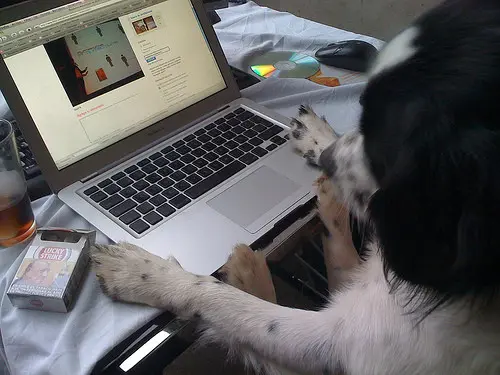
doggy hackerDo Some Of Your Own Hacking

Knowing your way a bit more around computer security you can now get a little creative and start thinking like a hacker on the road.

You can also download these 12 applications you can run from a USB drive to protect the data on your portable drives and play it safe in Internet cafes.

Divide And Don’t Be Conquered

You can’t protect or secure all of your online accounts or laptop from a determined attacker with wire cutters. Your best bet is to follow these precautions, discourage potential thieves, and minimize the damage a hack would cause. Separate passwords, encrypting your hard drive, and locking up your laptop will help keep your most precious possession in good hands – yours.

[photos by: Stian Eikeland (man in mask), a r t e m i s r u s s e l l (chain wallet), fofurasfelinas (cat), JanOSpixeles (hacking dog)]

The Traveler’s Guide To Locking Down Your Laptop: Part 2 – Protecting Your Data

In Part 1 we started with the basics of protecting your laptop – physical security. Now that your laptop is safety locked up and under your watchful eyes it’s time to protect the data inside of your digital best friend. The information on your laptop says a lot about you and the data on your hard drive is worth much more than the physical machine.

lego on laptop

Luckily these days encryption is very strong, in some cases stealthy, and potentially very effective. The problem is that hardly anyone does it.

matrix codeEncrypting Your Data- The Basics

Even if you’ve locked your computer with a password, the data on your hard drive is not coded or protected in any way. That means if someone steals your laptop and pops the hard drive out, they can see all of your files and use them. It’s easy to encrypt (code) your data to make it unreadable to most attackers.

  • FileVault (Mac): You can automatically encrypt your home folder using FileVault (System > Security > FileVault), which is built right into the operating system.
  • TrueCrypt (Windows, Mac, Linux): Free software that can encrypt your entire hard drive or create an encrypted section of your disk for your important files and folders.

For those of you using Windows 7 Enterprise or Ultimate editions you can use BitLocker, which is built right into the operating system. Of all these methods though, TrueCrypt is my favorite free software alternative since it’s the easiest to set up and places the fewest limitations on your system (FileVault and print sharing don’t play well for example). To effectively use these encryption schemes you’ll need to pick a good password – a really good one. More on that below.

police pugHiding From The Cops and Customs Agents

Encryption is great and all but when traveling your laptop is under scrutiny and laws that change across borders. Even in the US, customs agents can (legally) demand your laptop password to inspect your hard drive.

Inspection of laptops is more common than you may realize in many parts of the world by law enforcement. It’s a good idea to create a hidden folder (described in the tutorial above) to hide those sensitive files and pictures in case the law decides to get download happy.

Keep Good Passwords

One of the weakest points of security on the road is that people pick terrible passwords. Make your passwords and your life easier by using a program to help you create strong passwords. What is a strong password? Anything that’s randomly generated and 8-20 characters will cut it for most cases.

  • KeePassX (Windows, Mac, Linux, mobile devices) – KeePassX is a free program that will store all of your account names and passwords. You just need to remember a single password to unlock KeePassX which also can generate random passwords up to as many characters as you’d like. Pick random passwords that are at least 8 characters.
    • KeePassX also integrates with Firefox and Internet Explorer if you use these 8 KeePassX plugins.
  • Password Safe (Windows, Mac, Linux) – An alternative to KeePassX, also generates passwords.

Now that you know how to create good, random passwords go ahead and create a separate one for each of your accounts. That includes Twitter, your email account, Facebook – all of them. Someone looking to steal your data, money, or identity typically just looks for one password since most people use the same one for all of their accounts.

private browsingSharing Your Laptop

Being the good hostel-mate that you are chances are you’ll be letting someone ‘borrow’ your laptop for a quick email. Here’s how you can make sure that they don’t inadvertently read your email or change your browser settings.

  • Start Private Browsing in Firefox(Tools > Private Browsing) – This will sign you out of any sessions (open accounts) you happen to be in and also make things a bit more private for your friend too since Private Browsing mode won’t leave a trace of passwords or other history information.
    • Internet Explorer users can do the same by opening a new tab and selecting “Browse with InPrivate”.
  • Temporarily Turn Off Auto-Complete – “Autocompletion” is when you start typing the first few letters of an account name in a window and the browser finishes the rest for you. You can temporarily turn the feature off in Firefox with the AutoComplete plugin and in Internet Explorer Tools > Internet Options > Content > Autocomplete
  • You can also try downloading a separate browser just for other people to use. Firefox and Opera are free to download.

The private browsing modes of the browsers are also a good idea if you’re at an Internet cafe or are the person borrowing the laptop. If you’re especially paranoid about someone else seeing those “sites” you’ve been to, you can also turn off URL suggestions in Firefox.

Your Laptop Is Set…Well, Not Quite

Your laptop security extends way beyond the hard drive sitting in front of you. Much of your data is strewn across the web whether you like it or not but you can take a few steps to securing it as well. In Part 3 tomorrow I’ll go into securing your online presence and accounts; but before you move on, take a second look at the section on passwords. A good password goes a long way.

Continue with Part 3 of this series.

[photos by: FHKE (lego man), My Melting Brain (matrix code), Gwen’s River City Images (police kid and dog), deepwarren (hand to camera)]

The Traveler’s Guide To Locking Down Your Laptop: Part 1 – Physical Security

Your laptop is the most valuable thing outside of food and water you can carry with you on the road. Sure you camera lens may be worth more money but it doesn’t contain your personal data, scanned travel documents, those cute photos of your dog, or act as your personal TV, telephone, and connection with the outside world all in one.

lock and chain

Most people now travel with their laptops and it’s the one gadgets we can’t seem to travel without. Laptops are valuable yet very vulnerable but in this 3-part series you’ll learn how to protect your ever-handy notebook from the most common types of attacks.

Locking Down Your Laptop…Literally

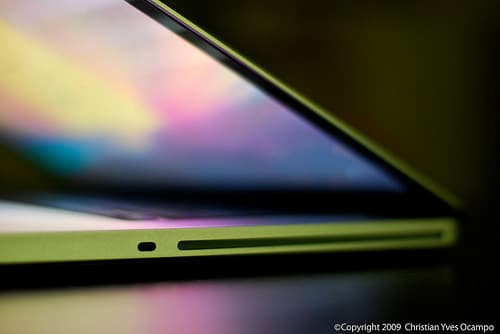
macbook pro laptop lockYou can have the best encryption in the world to protect your laptop from the world’s best hackers but if you don’t physically secure your machine any amateur thief can walk right off with it. To secure your laptop you need to physically protect all 2.5 kilos of it.
  • Start With A Basic Laptop Lock – Almost all laptops have a small slot for a lock (like the picture to the left). You can find out where yours is with a simple Google search or by reading the manual (most manufacturers post those online for free now).
  • Bring A Padlock – Many hostels have lockers but don’t provide locks and often laptops don’t fit in hotel safes. In both cases a padlock will come in handy.
  • Invest In A Pacsafe – This mesh-wire fits around your backpack and locks to something protecting your laptop inside.

A basic laptop lock will run you between $15-30 and most, like this Kensington ComboSaver and MicroSaver, conform to a PC and Mac standard. This simple lock will give you piece of mind when sitting in a cafe or emailing from your hostel room.

Lock Your Screen Every Time You Get Up

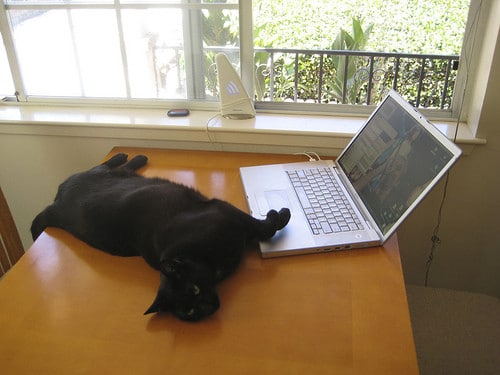
cat on laptopLeaving your laptop unattended is bad but leaving it without locking the screen is worse. On most laptops you can configure your screen to automatically lock (that is, require a password to use it) when you close the lid. Physical access to your laptop is one of the easiest ways for someone to steal data off of it or do a search for ‘password’ in your Gmail account.

It’s one of the most common ways information is stolen so get in the habit of locking your screen every time you’re not sitting right in front of your machine. Here’s how:

  • Windows Users: CTRL+ALT+DEL, then select “Lock Computer” or “Switch User”. An easier way is to hit the Windows logo key (lower left) + the “L” key.
  • Mac Users: Apple didn’t add this nifty feature into Leopard or Snow Leopard but you can add it by downloading the free program LockTight. It lets you configure any set of hot keys you want to lock your screen.

This is the one piece of advice most people say “duh” to before getting up for a cold beer and forgetting to lock their screen. Get in the habit, lock your screen!

mouse trapSet Up Remote Backup, Trap, And Alarm

In case your laptop does get stolen you want to make sure your data is saved in a physically separate location. While an external hard drive is good, it doesn’t help if your entire backpack gets stolen. Choose an online backup source so your data gets sent somewhere else where you can retrieve it later in case you need to replace your machine.

The Trap

Now you’re backed up in case of total failure so it’s time to set up your electronic mouse (aka. thief) trap.

  • Adeona (Works on Windows, Mac, and Linux) – An open-source (free) program that lets you track your stolen laptop if the crook gets online and the Mac version will even snap a picture of person with your iSight camera and send it to you. There is also LojackForLaptops; that costs $40 per year.
  • You can also use LogMeIn to watch the screen as the thief uses your computer and potentially grab useful information to identify them.

The Alarm

For some fun you can try out iAlertU (sorry, Mac only). It’s a car alarm for your laptop that has limited applications and likely won’t provide too much security outside a select few circumstances. You can see how it works in the video below:

Secured From The Outside

A good lock is typically enough to discourage most opportunistic thieves and will go a long way to protecting your laptop from the outside. A tiny percentage of lost laptops are ever recovered so prevention is key. Tomorrow in Part 2 I’ll teach you how to protect the goodies inside of your laptop from crooks, customs agents, and everyone else who wants access to the goods – your data.

Continue on with Part 2 and Part 3 of this series.

[photos by: Jeremy Brooks (lock photo), christianyves (laptop), elkit (cat on laptop), billaday (mouse trap)]

About Anil Polat

foxnomad aboutHi, I'm Anil. foXnoMad is where I combine travel and tech to help you travel smarter. I'm on a journey to every country in the world and you're invited to join the adventure! Read More

YouTube Twitter Instagram Facebook

Image Map

Image Map
10 Shares
Share
Tweet
Pin