Blog - foXnoMad

The Best Wireless Sport Headphones For Under $100: NuForce BE Sport3 Review

There’s a niche between high-end Bluetooth wireless sport headphones well over $100 and the ultra budget variety, less than $30. The NuForce BE Sport3 fills the void by taking the best of both ends, here’s why they might be the ideal wireless headphones for you, especially if you exercise frequently when traveling.

nuforce be sport3

The BE Sport3 earbuds weigh 13 grams (.45 ounces) and pair over Bluetooth with your phone. They also come with a small carry case plus a variety of colors of wingtips, which help keep the BE Sport3 in your ear during exercise, particularly running. The BE Sport3 aren’t as small as the higher end sport headphones, but fit very comfortably for a set of earbuds in the $80 range. Cheaper Bluetooth headphones tend to be bulkier, cutting costs in the physical design, so running on pavement or on hiking trails tends to be a problem with them after you get sweaty.

Speaking of sweat, the BE Sport3 are IP55 rated, meaning they are highly water and dust resistant. The Sport3 also have about 10 hours of battery life on paper, surprisingly in my tests I was able to get this much out of them as well. It takes about 50 minutes to charge completely (over a micro-USB port in the remote controller of the earbud wire).

Trade-Offs

That remote controller is on the right side of the earbud cable and one of two small issues I have with the BE Sport3. The weight of the remote on the right side means it’s the right side that tends to fall out of your ear on occasion. But, let me be clear, these are the best wireless headphones I’ve used when running in terms of comfort and ear placement. In my opinion, for sport headphones, especially wireless ones, staying in your ear is the most important feature.

nuforce optoma be sport3

Sound quality is good but tends to highlight mid-tones, so you don’t get a lot of bass or treble. NuForce probably keeps the price down by not developing an app to go with the earbuds, meaning you can’t make any audio adjustments. Otherwise, the pairing is solid, never choppy during my use, and the Sport3 do provide good seal from outside noise.

Is The BE Sport3 For You?

The NuForce BE Sport3 are excellent earbuds for runners. For the best audio quality, particularly on flights, you’re better off looking at the Bose QuietComfort, but they’re wired, for walking, and triple the price. On the lower end, a pair of TaoTronics for $20 will serve you decently, though have trouble staying put during heavy exercise.

As you can see in my full review video at the top of this post, the BE Sport3 often though go on sale (I post those here daily) for $50 or $60, and at those prices with this quality, you shouldn’t be looking at any other wireless sport headphones.

Cosplay Pictures And Video From Aniventure Comic Con Bulgaria

This past weekend over 10,000 people by my estimates attended Aniventure Comic Con Bulgaria, in the country’s capital city Sofia, including myself. One the best moments for me was meeting The Awkward Yeti cartoonist, Nick Seluk. His personal story of quitting his job and it’s connection to Heart and Brain, Lars, and his other comics was very inspirational. It’s a video I highly recommend you watch, especially if you’re pondering whether or not to follow a dream in your life.

I’ve been to lots of Star Trek conventions but this was my first dedicated comic convention. In terms of cosplay, Comic Con Bulgaria attendees had more elaborate, high-quality, handmade, work in much larger percentages than you see at a Star Trek convention. Cosplay was a big part of the Aniventure Comic Con and I took as many pictures as I could to share with you.

aniventure comic con bulgaria

comic con bulgaria cosplay

aniventure comic con cosplay

cosplay bulgaria

comic con bulgaria 2017

aniventure cosplay

comic con bulgaria 2017

comic con bulgaria 2017 cosplay

sofia bulgaria cosplay

cosplay bulgaria

cosplay bulgaria sofia

cosplay aniventure comic con 2017

aniventure cosplay

star wars cosplay bulgaria

cosplay 2017 bulgaria

comic con sofia

cosplay balkans

cosplay aniventure

star wars cosplay europe

cosplay comic con europe

aniventure comic con 2017

cosplay eastern europe

Since I’m not completely up on anime, I don’t have the descriptions of the costumes above. But, if you recognize any, please let me know in the comments below!

How Difficult Is It To Travel If You’re Vegan?

vegan lufthansa

Recently, after posting photos of the vegan meals being served in business class flights on various flights, a reader asked how difficult it would be to travel after switching to a vegan diet. It’s a big question with a lot depending on where you go, how you travel, and your personal preferences.

How Strict Are You?

There are a group of very strict vegans and those who don’t mind eating an egg or honey on occasion. (Up to a third of vegetarians eat meat when drunk, for example.) People “go vegan” for a variety of reasons – health, animal rights, lactose intolerance – so you may decide on shorter trips to just do your best. If you do, it’s better to accept the decision completely; stressing about finding suitable food options can easily ruin a vacation. On the other hand, if you’re committed to sticking to a strict vegan diet, you’ll need to prepare.

Planning Ahead Is Crucial

You hardly ever need to show up to an airport 3 hours before a flight but if you’re going to fly as a vegan, at the very least you need to arrange your meals well in advance. Ideally, you’ll need to specify at booking that you want a vegan meal. Practically, you’ll need to call the airline as well because in most cases if you don’t, expect a vegetarian meal with cheese.

shephards salad with cheese

Also, you better get to a grocery store first as well, since vegan meals on flights are rarely completely vegan, not to mention mostly salads or vegetables. (Lacking the beans, nuts, and soy many vegans use to supplement their diet with appetite-satisfying protein.) Apps like HappyCow can help you find vegan restaurants but remember that grocery store shopping is going to be a regular part of any trip you take.

More Developed Doesn’t Always Mean More Choices

Many people often assume that more developed countries have more vegan options. Scandinavians use a lot of dairy in their dishes for instance and the Japanese tend to have a diet rich in fish. Conversely, nations with meat-heavy traditional cuisines like Serbia and Kosovo are excellent for vegans. Much of Turkish cuisine too, is unintentionally vegan. India, famous for its vegetarian cuisine, can be hard for vegans due to the common use of clarified butter (ghee).

food chandni chowk

Vegan options actually vary much more between cities than nations. Germany, for example, isn’t the most vegan-friendly country but Berlin is one of the best cities for vegans. Larger cities tend to have more vegan options simply due to size, though it doesn’t always mean the restaurants will be close to your accommodation. Again, plan accordingly and get used to grocery store visits.

On the surface, it might not seem like a big jump to go from vegetarian to vegan because the world is getting close to being caught up on what a vegetarian is. Keep in mind that the concept of vegetarianism is still be confusing to many around the world, even though vegetarians make up about 20% the world population. There are far, far less vegans; therefore much less understanding of what vegan is.

To travel as a vegan you’ll not only need to get used to planning, shopping, and arranging your travels around the food you eat, but become very used to explaining as well. The summarized version of no-meat-no-dairy usually isn’t sufficient so study menus well, list ingredients, and accept that not every restaurant or waiter will be sensitive to your dietary restrictions.

Are you a traveling vegan? What would you add and what have your experiences been? Feel free to share in the comments below!

All The Tech Gear And Gadgets I Travel With (And Why): Sept. 2017 Update

foxnomad travel tech guide

The electronics I travel with allow me to run a business (not to mention have a lot of fun while doing it) from anywhere in the world. Being so mobile though means the gadgets I carry have to be portable, powerful, plus durable. Reliability is also important which is why I often use electronics that are one, if not more, model behind the latest version.

Frequent travelers often have to make some compromises with their technology, sometimes exchanging power for reliability, plus at the same keeping in mind that shiny scuffs fast and gravity loves to show off on hard airport floors. When I am in one place long enough, I use and test a lot of products sent to me and out of pocket, to find the travel-tech-sweet-spot for common gear so you don’t have to.

Here’s a look at all the electronics that have made it into my backpack in the photo above that yes, all fit into one ScanSmart 1900 carry-on bag.

Laptop: Macbook Pro (Retina, 15-inch, Mid 2015): 2.8 GHz Intel Core i7; 16 GB 1600 MHz DDR3 memory; 500GB SSD; AMD Radeon R9 M370X

macbook pro mid 2015

Main Video Camera: Panasonic Lumix DMC-G85 Mirrorless Micro Four Thirds

panasonic g85

As I mention in the video above, the main weakness of the point and shoot Lumix I carry, is the video quality. For the price, the Panasonic Lumix G85 is the best 4K camera (that records without time limits as many 4K cameras have) in a mirror-less body that’s smaller than a standard DSLR.

Point And Shoot Camera: Panasonic Lumix DMC-ZS45 [Here’s my full review.]

lumix dmc-zs45

  • Recommended SD Card: 32GB SanDisk SDHC
  • Case: No link for the case, just a cheap one I grabbed at a shop somewhere.

Tripod: Joby GorillaPod Focus with Joby Ballhead

joby gorillapod

On top of the Lumix G85, I’m using a Rode VideoMicro for recording audio and an Aputure AL-M9 Amaran LED Light when needed. When I need to use both at the same time, the Movo Photo HVA20 Dual Shoe Bracket does the job well.

Headphones: Bose QuietComfort 20i Acoustic Noise Cancelling Headphones [My full review.]

bose 20i headphones

Phone (Daily Driver): iPhone 6s (64 GB)/Space Grey

iphone 6s 64 gb space grey

I also travel with a Nexus 5X, primarily because it’s stock Android and gets updates from Google before most other phones, making it ideal for testing development versions of my WiFox and DroneMate apps. Speaking of app development, I also carry an iPhone 5s, 5, and 4s, all for app testing.

Drone: DJI Mavic Pro

dji mavic pro

Backpack: SwissGear 1900 Scansmart Laptop Bag

swissgear smartscan 1900 laptop bag

Cable Organizer: Cocoon Grid-It 10.5 x 7.5-Inch Organizer

cocoon grid-it

  • This is a major time-saver when going through airport security because you can pull out all of your cords and adapters at once. I’ve also noticed having cables organized like this means less time waiting for additional bags checks at security – a clump of cables often means re-scanning your backpack.

Portable Batteries: PowerStick+ (2300 mAh) PowerTrip (6000 mAh).

powertrip powerstick

These batteries have a standby time of up to a year so you’re much less likely to be on a train and realize your batteries died on the road. Read my full review here.

Connectors, Converters, And Other Accessories

For reading books or when I need a larger, mobile screen in general, I use a 64 GB iPad Air 2 protected by an Apple Smart Case.

You can see from the progression of the gadgets in my backpack from 2012, earlier this year, to now, that the larger electronic purchases are usually one or two off from the latest version. The longer a product is on the market the more time there is to see how well it was or wasn’t designed *cough, 2016 Macbook Pro* but being just behind the newest version means specs are still quite good. Most often, there aren’t major jumps in improvement between a version or two of phone or laptop these days.

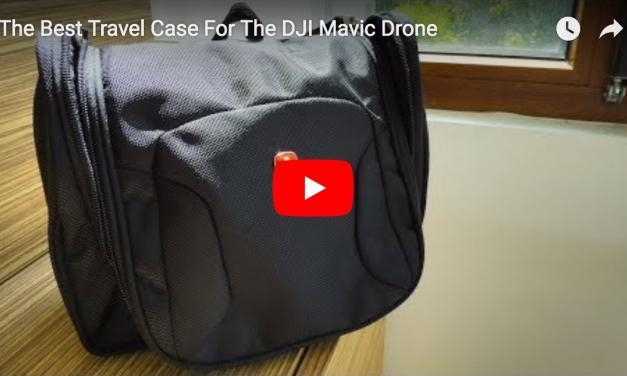
Also, the cases I use are also more adapted to protecting electronics when they’re in a backpack, not from falls when they’re out and in use. This means I’m generally using sleeves and prefer a good fit (even from improvised cases like the lens case for the Mavic controller or SwissGear toiletry kits) than cases specifically designed for a given product.

When traveling, the best technology is often potent, portable, but not precious enough that your travel budget (or mental state) can’t handle a loss from damage or theft that might require a replacement. What are some of the electronics or gadgets you travel with and would recommend? I would be very interested to hear so let me know in the comments below!

I’ve Got Good, Free Coffee For You That Supports A Great Cause

Although coffee might not seem directly travel or technology related, it fuels a lot of our days when we’re on the road – and back home as well. A good friend of mine Felipe and his wife recently created a coffee subscription service that brings unique blends right to your door. At 1723 Coffee Roasters, you can choose single-origin, organic coffee blends from South and Central America to be delivered to your home or office on a weekly or monthly basis. For every subscription purchase, 1723 Coffee Roasters in partnership with the non-profit Techo, will help rebuild a home for a family that has been affected by a natural disaster in Central and South America.

1723 coffee coupon code

Felipe was kind enough to give all of us a coupon code so you can get your first order free on any subscription. There are more details in the video above but go to 1723Coffee.com, use the code “NOMAD” at checkout, and enjoy your next brew!

Double Your Macbook Storage: A Review Of The Coin-Sized TarDisk Expansion Card

tardisk storage

The amount of storage space on your laptop is something most people think about twice: when first purchasing a machine and after warnings start popping up that your storage is nearly full. Frequent travelers often need larger storage capacity for their laptops while at the same time trying to minimize the amount of bulk in their backpacks. The TarDisk storage expansion card is designed to expand your laptop’s hard drive space in the absolute smallest form factor possible.

What The TarDisk Is And Isn’t

The TarDisk is a piece of technology that’s evolved into a very, very specific niche. TarDisk come in two versions, 128 and 256 gigabytes (GB), both of which are only designed to work with either the Macbook Air or Pro line. (A TarDisk needs to be specifically ordered for your particular Macbook Air or Pro model.) About half the size of an SD card, the TarDisk fits right into a Macbook’s SD card reader, giving you 128 or 256GBs of additional storage.

tardiskTarDisk 256GB Storage Expansion Card for MacBook Pro 15″

buy from amazon

Small But Integrated

Clearly, one of the main advantages of a TarDisk is its size. Traditional portable hard drives for travelers, a primary option for getting more space on your laptop, are bulky. Portable hard disk drives (HDD) are also a lot more vulnerable to damage, depending on whether or not you’re willing to shell out some extra cash for a solid-state drive (SSD). Durability, speed, and ease are all problems the TarDisk tries to solve, with varying success.

tardisk 128gb

The TarDisk is small, as you can see from the photos and video above, tiny by any standards, especially when compared to a portable hard drive. Though this tiny size does come with some big limitations, mainly in terms of storage space. Most portable hard disk and solid state drives give you an additional 500GB to several terabytes (TB) of additional storage space.

A Seagate Backup Plus, about the size of a pack of playing cards, is 4TB at less than half the cost of a TarDisk. You’re saving money to give up durability, speed, and size for an external HDD. SSDs like the Samsung T5 with double the storage capacity of a TarDisk are aren’t quite as fast but nearly as durable, though still an added accessory with cable to carry around. Compared to a typical Macbook Pro however, a TarDisk is going to double your storage capacity.

You might be thinking you could simply swap out a few TarDisk to compensate for the size restriction but one advantage of the TarDisk has a downside. By modifying your Macbook’s (MacOS 10.12, OSX 10.11, and 10.10) operating system configuration, a TarDisk integrates with your existing storage drive. In other words, once you run the TarDisk software, it becomes a part of your Macintosh HD.

Convenience For Some

Before installing a TarDisk using their ‘Pearing’ software, you’ll need to do some prep. A Time Machine backup is required and if your laptop’s drive is encrypted, you’ll need to turn off FileVault. (Both processes can take a few hours.) Once the Pearing software has done its job, the you’ll notice your disk space is now 128 or 256GB bigger. No need to worry about ejecting an added disk or trying to remember where a file is stored.

tardisk pearing

Being integrated like this means you won’t be able to pop the TarDisk out of your SD card slot without going through the entire Pearing process in reverse. Doing so can make your entire laptop inoperable so know what you’re getting into first. Despite the drawbacks, the TarDisk is small, only steals an SD card slot (which you can replace with a HooToo or Satechi adapter), and is faster than most external drive options.

The TarDisk probably isn’t for people already traveling with a large capactity external hard drive or two because in most cases, those are travelers who are prepared to fill up a lot of disk space with high resolution photos and videos. But for business travelers or those of you whose disk space on a Macbook Pro or Air slowly arrived at critical, the TarDisk can conveniently expand your storage.

About Anil Polat

foxnomad aboutHi, I'm Anil. foXnoMad is where I combine travel and tech to help you travel smarter. I'm on a journey to every country in the world and you're invited to join the adventure! Read More

YouTube Twitter Instagram Facebook

Image Map

Image Map
10 Shares
Share
Tweet
Pin